Punch Card
Print
Created by: Trino Rodriguez
Modified on: Sun, 30 Dec, 2018 at 2:05 AM
Punch Cards
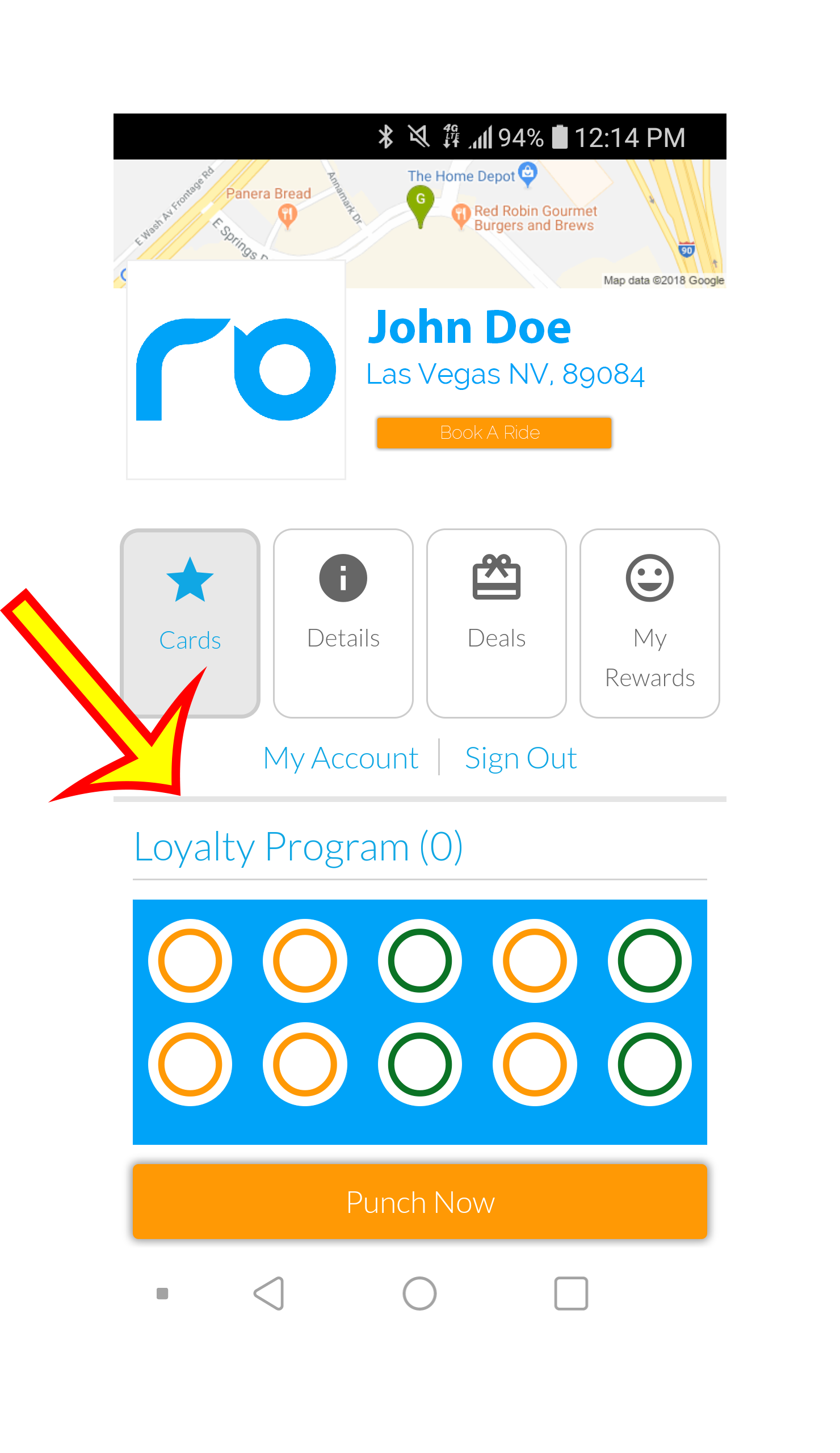
Once you have completed a booking with your driver, you will be able to punch your Loyalty Program Punch Card. Follow the steps as below.
Step 1
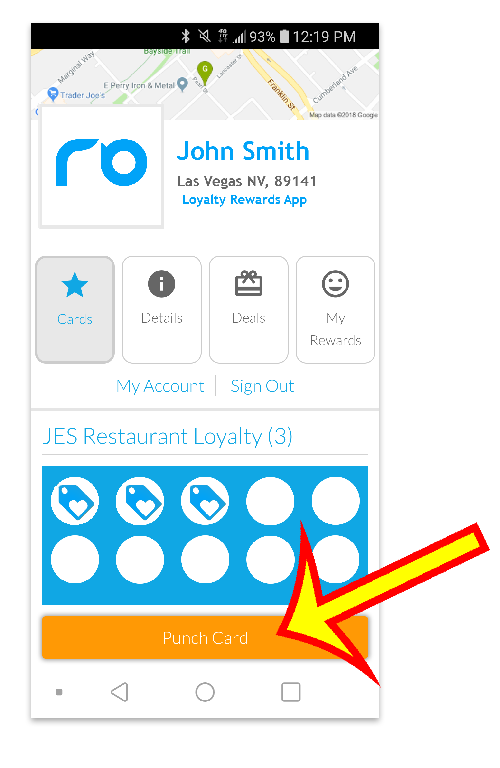
Once you have completed the ride with your driver click the "Punch Card" Button.
Step 2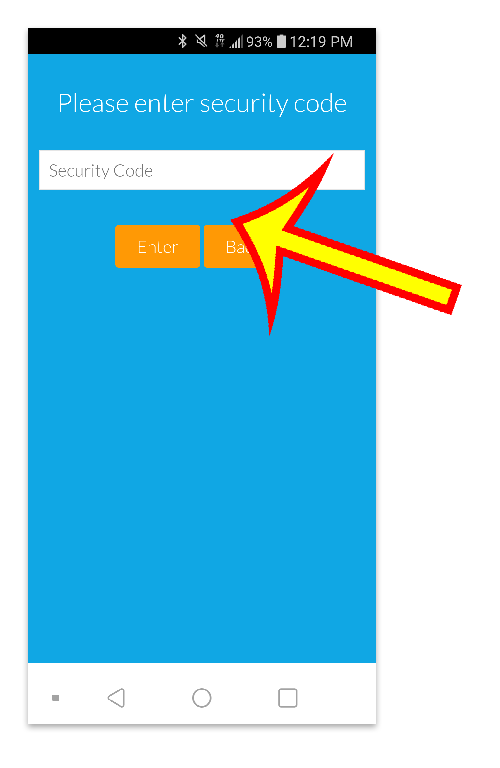
Then ask the driver for the security code, and enter it on this screen.
Step 3
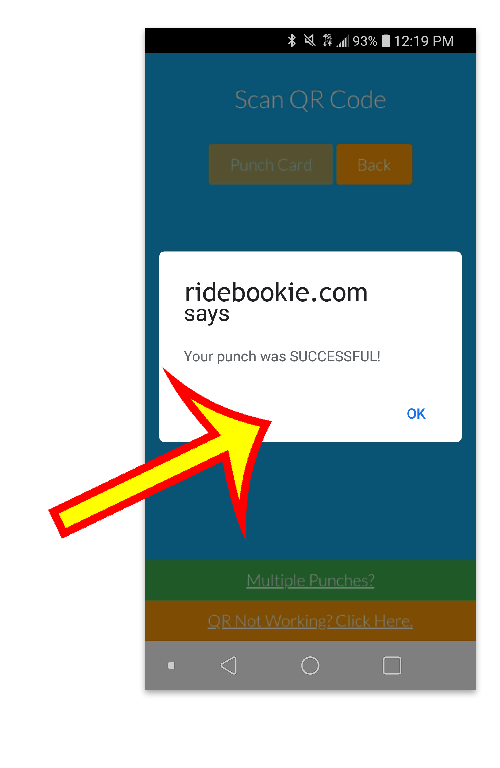
Confirmation of a Successful Punch will appear, and you will be redirected to the Punch Card Page.
Trino is the author of this solution article.
Did you find it helpful?
Yes
No
Send feedback Sorry we couldn't be helpful. Help us improve this article with your feedback.
